You’ve followed the manual. You’re sitting in your driveway, pointing your garage door remote at your car’s rearview mirror, pressing the buttons in what feels like a dozen different combinations. Ten minutes later, the only thing you’ve accomplished is a sore thumb and a growing sense of frustration.
If this sounds familiar, you’re not alone. Programming a car’s built-in garage door opener, like HomeLink®, can sometimes feel like trying to solve a puzzle with a missing piece. The good news? That missing piece is usually a simple, overlooked detail.
This guide is your diagnostic roadmap. Forget the confusing jargon. We’re going to walk through this together, from the five-minute fixes to the hidden culprits that most manuals never mention.
Why Your Car’s Garage Door Opener Isn’t Programming Successfully
Published: May 21, 2026 | Updated: Jul 28, 2026
The 3 Core Reasons Your Car's Opener Fails to Program
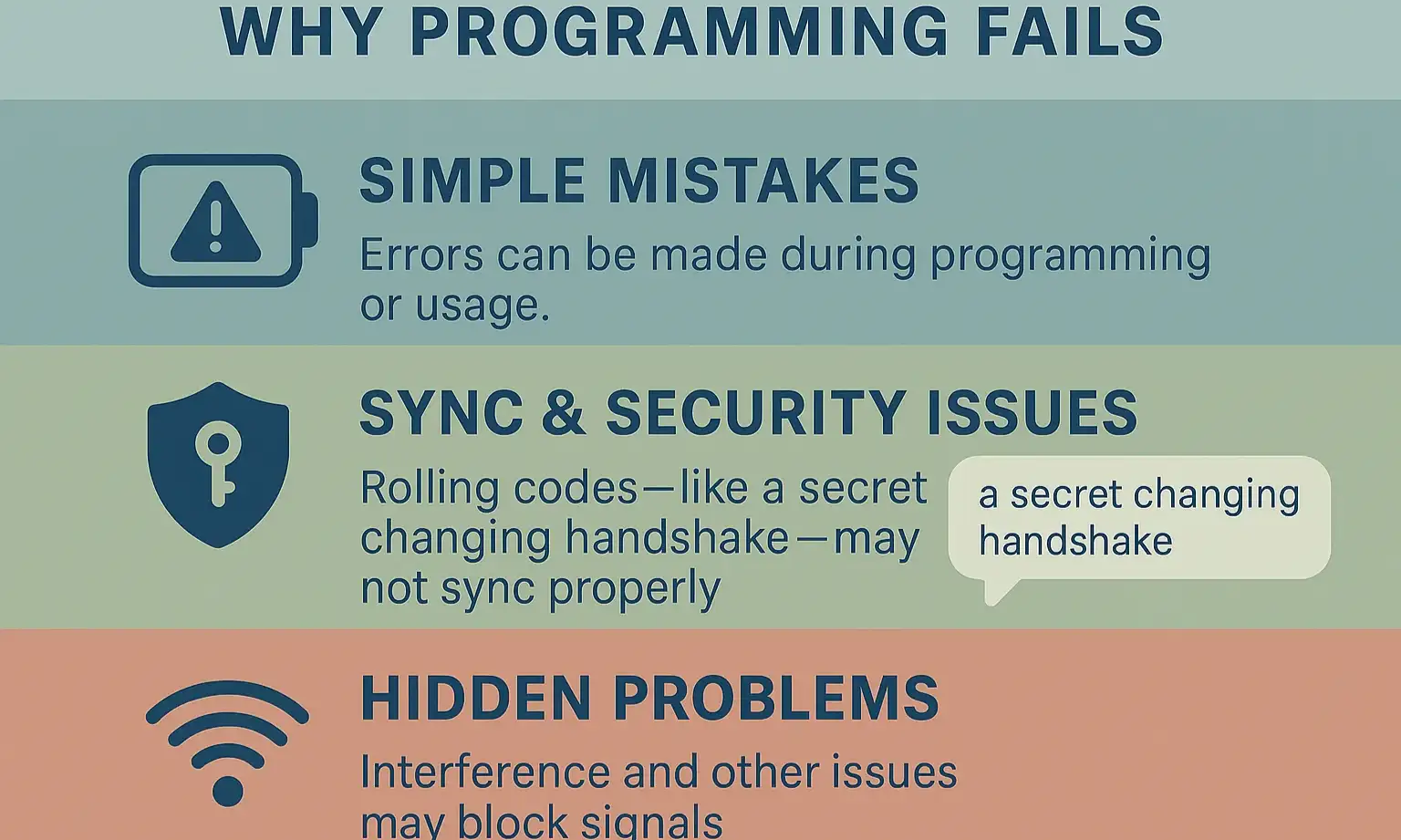
Before we dive into the step-by-step process, let’s understand the landscape. Nearly every programming failure falls into one of three categories. Getting a handle on these will transform you from a frustrated button-pusher into a confident troubleshooter.
Now, let’s use this knowledge to diagnose the problem.
Your Step-by-Step Diagnostic Flowchart
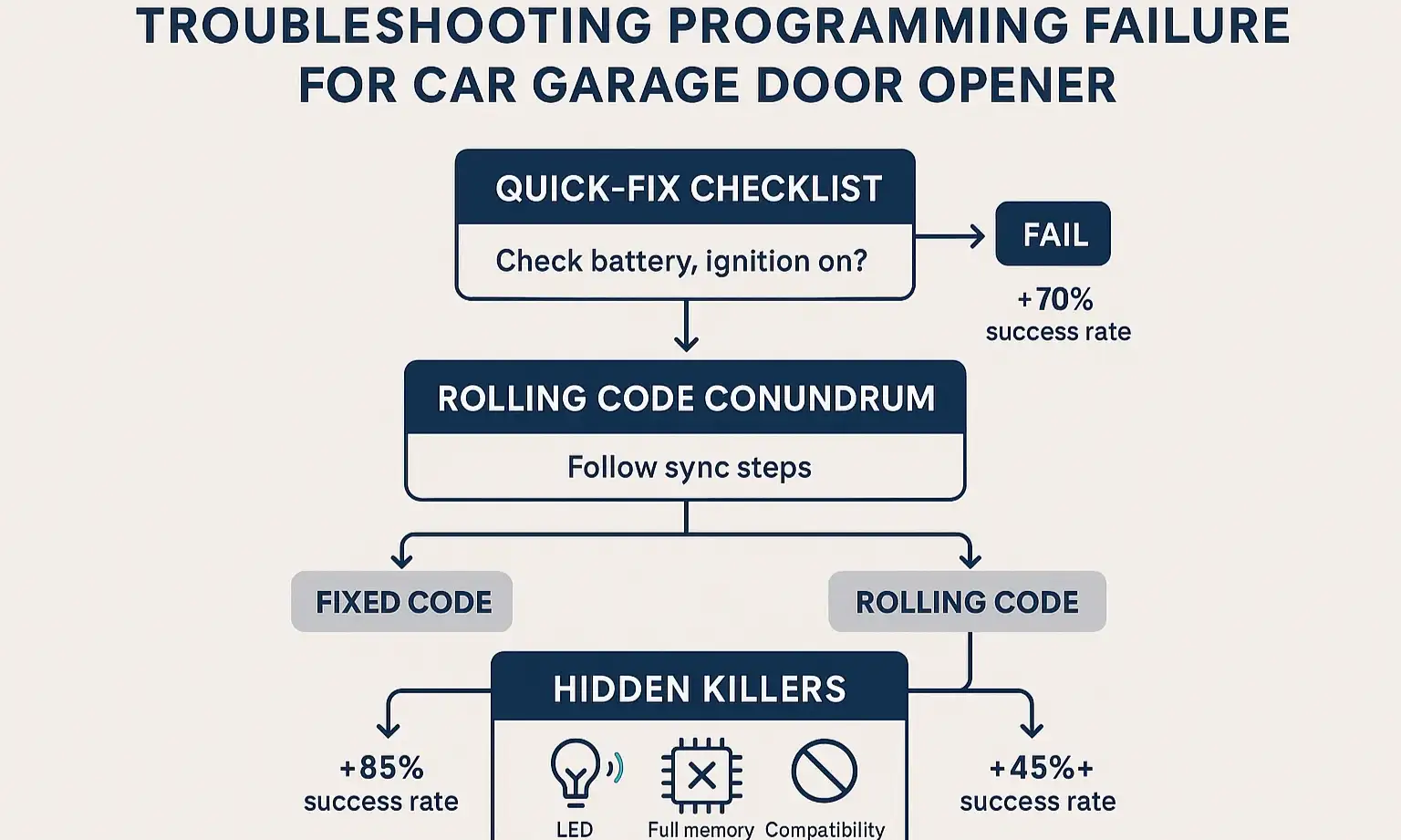
Work your way down this list. Start with the simplest checks and move to the more complex ones. The solution is likely just a few steps away.
Step 1: The Quick-Fix Checklist (5-Minute Solutions)
Let’s rule out the easy stuff first. These simple oversights account for a surprising number of programming headaches.
Step 2: The Rolling Code Conundrum
If the quick fixes didn’t work, you almost certainly have a “rolling code” garage door opener. This is the single biggest point of confusion in the programming process.
What is a rolling code?
Think of it like a secret handshake between your remote and your opener that changes every single time you use it. It’s a fantastic security feature that prevents thieves from capturing your signal. However, it means you can’t just teach your car the handshake from an old remote; you have to introduce your car to the opener itself so it can learn the next secret handshake in the sequence.
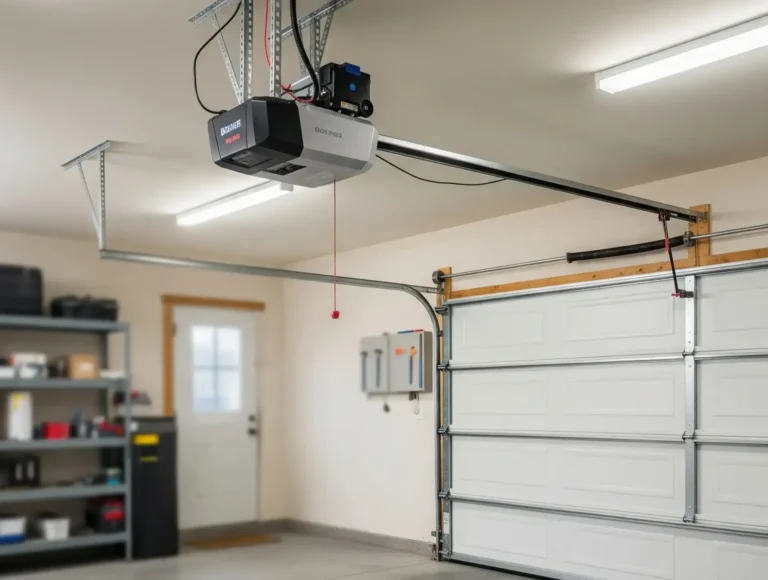
This introduction is done using the “Learn” button on the motor unit in your garage.
The Correct Two-Part Process for Rolling Codes:
Part 1: Train Your Car. This is the step you’ve likely already done. You hold your existing remote near the car’s buttons and press them until your car’s indicator light changes from a slow blink to a rapid one (or solid, depending on the model).
⚠️ Common Mistake: Many people think they are done at this point. But if you have a rolling code system, the rapidly flashing light is simply your car’s way of saying, “Okay, I’ve copied the basics. Now, please introduce me to the main opener unit!”
Part 2: Sync Your Car with the Opener. This step is time-sensitive. You have about 30 seconds to complete it.
If you’ve followed this two-part process and it still fails, it’s time to investigate the hidden killers.
Step 3: The “Hidden Killers” of Programming
Sometimes, the problem isn’t the process; it’s an invisible force interfering with the signal.
The LED Interference Test
This is the “aha moment” for many frustrated homeowners. Certain LED light bulbs—especially low-quality or older ones—can emit radio frequency interference (RFI) that jams the signal from your car.
The Test: Simply unscrew the LED bulbs from your garage door opener unit and try the programming process again.
The Solution: If this works, replace the bulbs with “garage door opener compatible” LEDs, which are shielded to prevent RFI. Finding a way to how to fix garage door remote signal issues often comes down to identifying these invisible barriers.
The Full Memory Wipe
Your garage door opener’s logic board can only remember a certain number of remotes (usually 5-7). If you’ve lived in your home for a long time and have programmed multiple remotes and keypads, the memory might be full.
The Solution: You’ll need to clear the opener’s memory. This is usually done by pressing and holding the “Learn” button for about 6-10 seconds until the indicator light goes out. Warning: This will erase all connected remotes and keypads. You will have to reprogram every device you want to use, but it ensures your car has a spot in the opener’s memory.
Step 4: Advanced Problems and Compatibility
In rare cases, the issue is a fundamental incompatibility.
Brand-Specific "Learn" Button Quick Reference
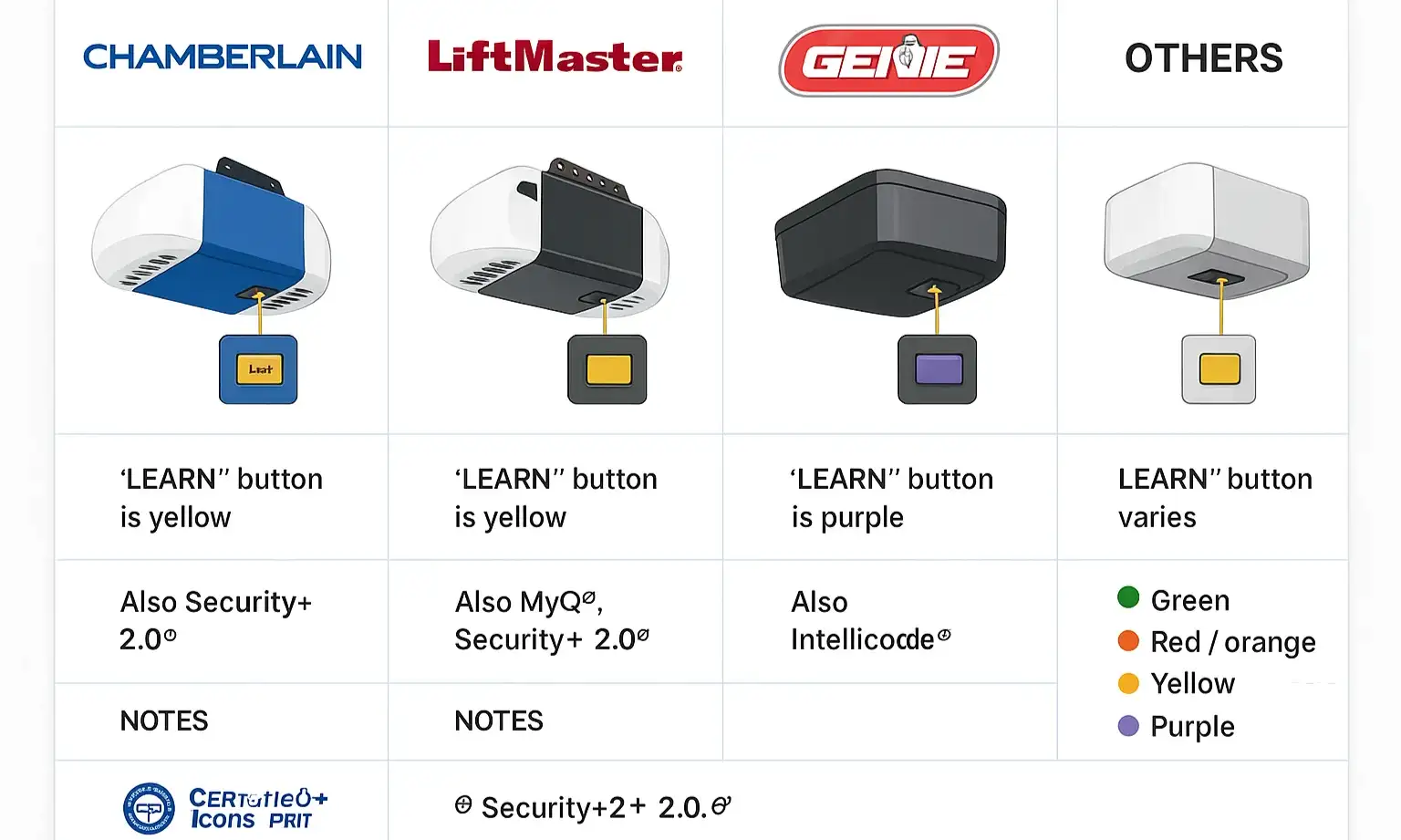
Locating the “Learn” button is a critical step. While its location varies, the color is often a key indicator of the type of technology your opener uses.
Still Not Working? When to Call a Professional
If you’ve gone through this entire guide—checked for LED interference, cleared the memory, and correctly performed the two-part rolling code sync—and it’s still not working, there may be a deeper issue. It could be a faulty logic board in the opener or a problem with the HomeLink transmitter in your car.
At this point, save yourself the frustration and contact a professional. A trained technician can diagnose complex signal and hardware issues quickly and safely.
At this point, save yourself the frustration and contact a professional. A trained technician can diagnose complex signal and hardware issues quickly and safely.
Frequently Asked Questions (FAQ)
Why do I need my original remote to program my car?
Your car’s system is a “learning” device. It needs an original, working signal to copy first. It captures the unique frequency and initial code from your handheld remote before it can be synced with the main opener unit. This is often the first step in learning how to program a garage door remote from another remote.
How do I know for sure if I have a rolling code system?
The easiest way is to look for the “Learn” button on the motor unit. If it has one, you have a rolling code opener. These systems became standard after 1993, so almost any opener made in the last 25 years uses this technology.
I lost my original remote. Can I still program my car?
This is a tricky situation. Without a remote to copy, the process is more challenging. However, there are methods that sometimes work, especially with certain brands. For a detailed walkthrough, you can explore our guide on how to program garage door to car without remote.
Frequently Asked Questions
Why do I need my original remote to program my car?
Your car's system is a "learning" device. It needs an original, working signal to copy first. It captures the unique frequency and initial code from your handheld remote before it can be synced with the main opener unit. This is often the first step in learning how to program a garage door remote from another remote.
How do I know for sure if I have a rolling code system?
The easiest way is to look for the "Learn" button on the motor unit. If it has one, you have a rolling code opener. These systems became standard after 1993, so almost any opener made in the last 25 years uses this technology.
I lost my original remote. Can I still program my car?
This is a tricky situation. Without a remote to copy, the process is more challenging. However, there are methods that sometimes work, especially with certain brands. For a detailed walkthrough, you can explore our guide on how to program garage door to car without remote.