Need to sync a new garage door remote but don’t want to mess with the opener unit? Cloning your old remote might be the shortcut you need. Whether you’re a homeowner looking for convenience or a contractor managing access across units, this guide will show you how to program a garage door remote from another remote, without climbing a ladder or accessing the opener unit.
How to Program a Garage Door Remote from Another Remote: Quick Sync Guide Without the Headache
Published: Jul 1, 2025 | Updated: Jul 28, 2026
Start Here: Can You Really Program One Remote from Another?
Wondering how to program a garage door remote from another remote, and whether it’s even possible? In many cases, yes. If your system is compatible and both remotes come from the same brand family, cloning the signal can be surprisingly simple.
Still, keep in mind this method doesn’t work with every garage door opener. Many newer systems use rolling code technology for added security, which often means you’ll need to program directly through the opener’s control panel.
Still, keep in mind this method doesn’t work with every garage door opener. Many newer systems use rolling code technology for added security, which often means you’ll need to program directly through the opener’s control panel.
What You’ll Need Before You Begin
Before you start, it helps to have a few things ready to make the process smooth:
Not sure about your garage door remote compatibility? Check with a local expert to confirm whether your system supports remote-to-remote syncing.
Step-by-Step: How to Program a Garage Door Remote from Another Remote
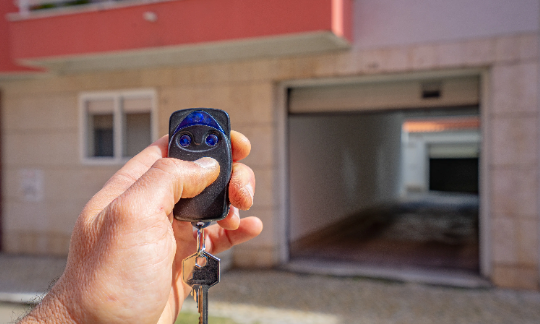
The exact steps may vary slightly depending on your garage door system, but here’s a simple method that often works for remotes that don’t use rolling codes. If you’re wondering how to program a garage door remote from another remote, follow these steps:
If it doesn’t work, your system might use rolling code technology, which requires a different method. For those setups, check out our complete guide on how to program a garage door remote with step-by-step instructions for advanced systems.
Common Issues and What to Do About Them
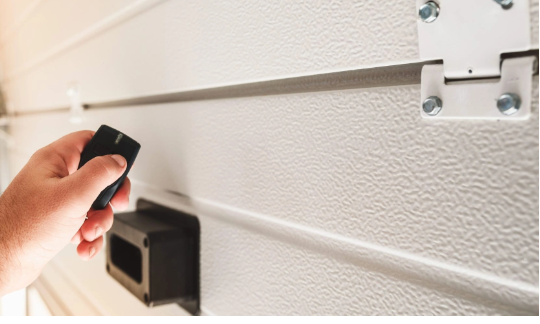
If things don’t go as planned, don’t worry — it happens. Here are a few common issues when trying to program a garage door remote from another remote, and how to fix them:
If nothing’s working, don’t stress. At 24H Garage Doors, we handle all types of garage door opener systems and can reprogram or replace your remote during a quick service visit — no guesswork or wasted time.
Summing Up
Once you know the steps, learning how to program a garage remote with another remote is easier than most people expect. With just two remotes, a few minutes, and a little patience, you can sync them without needing to touch the opener itself.
Of course, not every system is built for this method. If the garage door opener uses rolling code technology, requires wall-unit access, or simply won’t respond, things can get more involved, especially when consistent performance is important.
When that happens, it’s best to have a technician step in. At 24H Garage Doors, we handle all types of openers and remotes. Whether you need support syncing a new device, scheduling a full garage door opener installation, or just getting your setup back on track, we’re here to make it easy.
Of course, not every system is built for this method. If the garage door opener uses rolling code technology, requires wall-unit access, or simply won’t respond, things can get more involved, especially when consistent performance is important.
When that happens, it’s best to have a technician step in. At 24H Garage Doors, we handle all types of openers and remotes. Whether you need support syncing a new device, scheduling a full garage door opener installation, or just getting your setup back on track, we’re here to make it easy.
Frequently Asked Questions
Can I really copy one garage door remote onto another?
In many cases, yes. If your system is compatible and both remotes come from the same brand family, cloning the signal can be surprisingly simple. Keep in mind this method doesn't work with every garage door opener.
Why won't my newer remote clone from the old one?
Many newer systems use rolling code technology for added security. This often means the remote-to-remote cloning method won't work, and you'll need to program directly through the opener's control panel instead.
What do I need on hand before I start syncing the remotes?
You'll want two remotes, the working one and the new one you're trying to program. You'll also need a compatible garage door system, which you can usually confirm on the opener's back panel or in the manual, plus a clean, quiet workspace where you don't risk pressing the wrong button.
How do I know when the new remote has copied the signal?
While holding the button on the new remote, press and hold the corresponding button on the original remote and watch the indicator light. Most remotes have a small LED that will blink or stay solid once the signal is successfully copied. Then test the new remote by trying to open or close the door.