Maybe you’ve just moved into a new home, or the keypad isn’t responding after a power flicker. Either way, knowing how to reprogram a garage door keypad is a useful skill for any homeowner or business owner. This guide will walk you through the process step by step.
How to Reprogram Your Garage Door Keypad: Easy Steps for Quick Reset
Published: Jun 26, 2025 | Updated: Jul 28, 2026
Getting Started: What You’ll Need
Learning how to reprogram a garage door keypad is often easier than most people expect. Start by gathering a few things to make the process go smoothly. You might want your garage door opener’s owner’s manual, though it’s not always needed. Have a ladder ready if the opener is positioned up high. Also, choose a new code that’s easy to remember but hard for others to guess.
Most keypads follow a similar process, so whether you’re wondering how to reprogram overhead garage door keypads or any other type, these steps should help.
Most keypads follow a similar process, so whether you’re wondering how to reprogram overhead garage door keypads or any other type, these steps should help.
Step-by-Step Guide: How to Reprogram My Garage Door Keypad
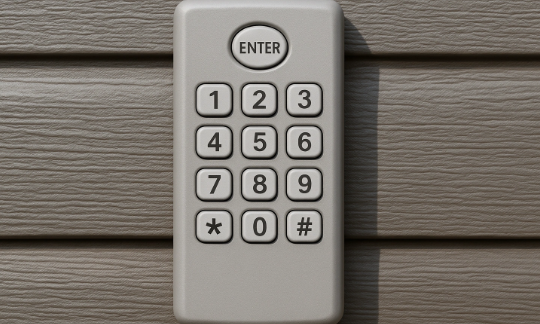
Now that you’re ready, let’s look through how to reprogram your garage door opener keypad. While the exact steps might vary slightly depending on the brand, the core process is nearly always the same.
Locate the “Learn” Button on Your Garage Door Opener
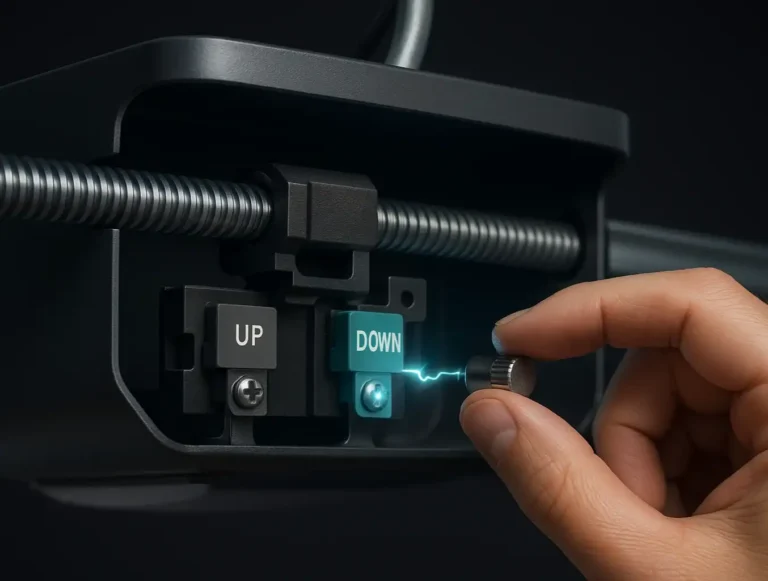
First, unplug your opener before accessing tight spots to avoid accidental activation. Then, look for the “Learn” button. It’s usually a bright color and tucked near the antenna wire. Once you spot it, you’re ready to go.
Erase Old Codes
Before setting a new code, clear the existing garage door keypad code. Hold the Learn button for about 6 seconds until the light goes out. This erases all previously programmed codes and prepares the system for a new one.
Pair the Keypad with the Opener
Press and release the “Learn” button. When the LED illuminates, quickly enter your new PIN on the keypad and press “Enter” or “Program.” You might hear a click or see the light blink, which means your code has been saved.
Test Your New Keypad Code
Finally, test your new code. Enter your code as you usually do. If the door opens and closes, you’ve successfully reprogrammed your garage door keypad. If not, try going back through the steps on how to program a garage door opener keypad. Timing can sometimes be tricky.
Troubleshooting Common Keypad Issues
Even if you follow the steps exactly, things might still not work as expected. However, don’t worry. There are a few common issues to check.
If your keypad isn’t responding, start by replacing the batteries. It’s a simple fix, and it solves the issue more often than you’d think.
If that doesn’t help, and your keypad is on the older side, the internal components might be worn out.
Sometimes, the problem isn’t with the keypad at all — it could be the opener. In that case, you may need a full garage door opener repair or even a replacement.
If your keypad isn’t responding, start by replacing the batteries. It’s a simple fix, and it solves the issue more often than you’d think.
If that doesn’t help, and your keypad is on the older side, the internal components might be worn out.
Sometimes, the problem isn’t with the keypad at all — it could be the opener. In that case, you may need a full garage door opener repair or even a replacement.
Summing Up
The garage door is one of the most-used entry points in your home, and now you know how to reprogram a garage door keypad. That’s a useful skill that helps you stay in control of who accesses your home.
Still stuck asking, “How do you reprogram a garage door keypad?” Don’t worry — the problem may go beyond the keypad itself. Let 24H Garage Doors take a look — we’ll inspect the full opener system and help you find the fix.
Still stuck asking, “How do you reprogram a garage door keypad?” Don’t worry — the problem may go beyond the keypad itself. Let 24H Garage Doors take a look — we’ll inspect the full opener system and help you find the fix.
Frequently Asked Questions
What should I gather before reprogramming my keypad?
Start by gathering a few things to make the process go smoothly. You might want your garage door opener's owner's manual, though it's not always needed, and a ladder if the opener is positioned up high. Also choose a new code that's easy to remember but hard for others to guess.
Is there a safety step before I reach for the Learn button?
Yes. Unplug your opener before accessing tight spots to avoid accidental activation. Then look for the Learn button, which is usually a bright color and tucked near the antenna wire.
How do I erase the old code and pair in a new PIN?
Hold the Learn button for about 6 seconds until the light goes out, which erases all previously programmed codes. Then press and release the Learn button, and when the LED illuminates, quickly enter your new PIN on the keypad and press Enter or Program. You might hear a click or see the light blink, meaning your code has been saved.
My keypad still isn't responding after reprogramming, what should I check?
If your keypad isn't responding, start by replacing the batteries, since that simple fix solves the issue more often than you'd think. If that doesn't help and your keypad is older, the internal components might be worn out. Sometimes the problem isn't the keypad at all but the opener itself, which may need a full repair or replacement.