If this is your first time owning a home with an automatic garage door opener, you’re not alone in wondering exactly how to open a garage door opener manually when the system stops responding. It’s one of those little things we don’t think about — until it suddenly matters. This guide explains everything clearly, with no guesswork, just straightforward steps and smart advice from the team at 24H Garage Doors, who handle opener issues every day.
How Do You Open a Garage Door Opener: Access Panel & Manual Release Guide
Published: Sep 8, 2025 | Updated: Jul 28, 2026
When Should You Manually Open a Garage Door Opener?
There are times when opening your garage door manually isn’t just helpful — it’s necessary. That might be during a power outage, when the garage door opener clicks but won’t open, or when the motor runs without moving the door. If you’re dealing with any of these situations, knowing when to switch to manual mode can really come in handy.
Troubleshooting: Garage Door Opener Clicks But Won't Open
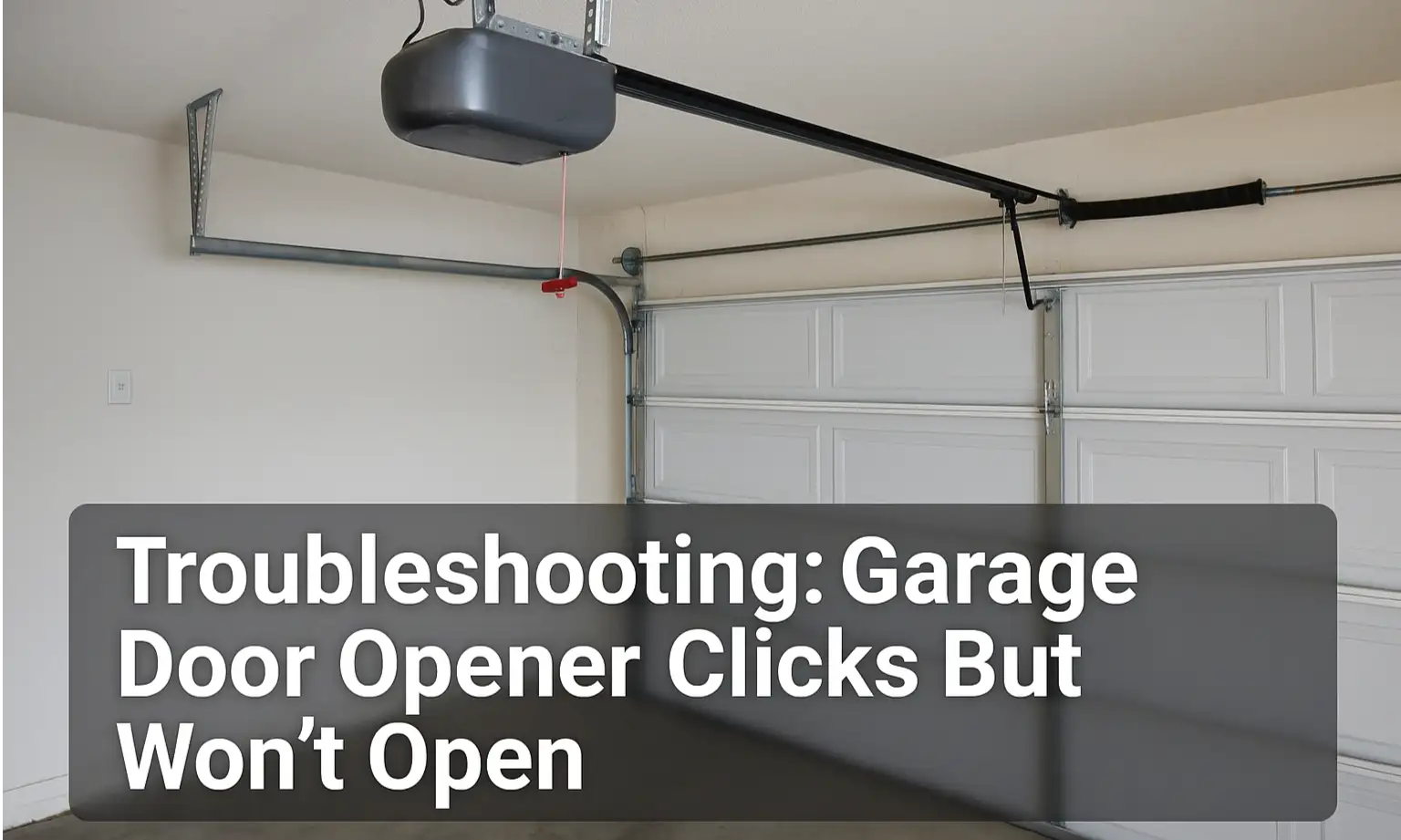
Hearing a click, but nothing happens? That’s a common problem for homeowners. The issue could be as simple as dirty or misaligned safety sensors, a disengaged trolley, or worn-out internal parts, including the gears and logic board. You can start by checking the sensors — wipe them clean and make sure nothing’s blocking them. If the problem isn’t obvious and your garage door still won’t open, it’s a smart idea to have a professional take a look. The team at 24H Garage Doors can diagnose the issue quickly and get things working again.
How to Open the Garage Door Opener Access Panel
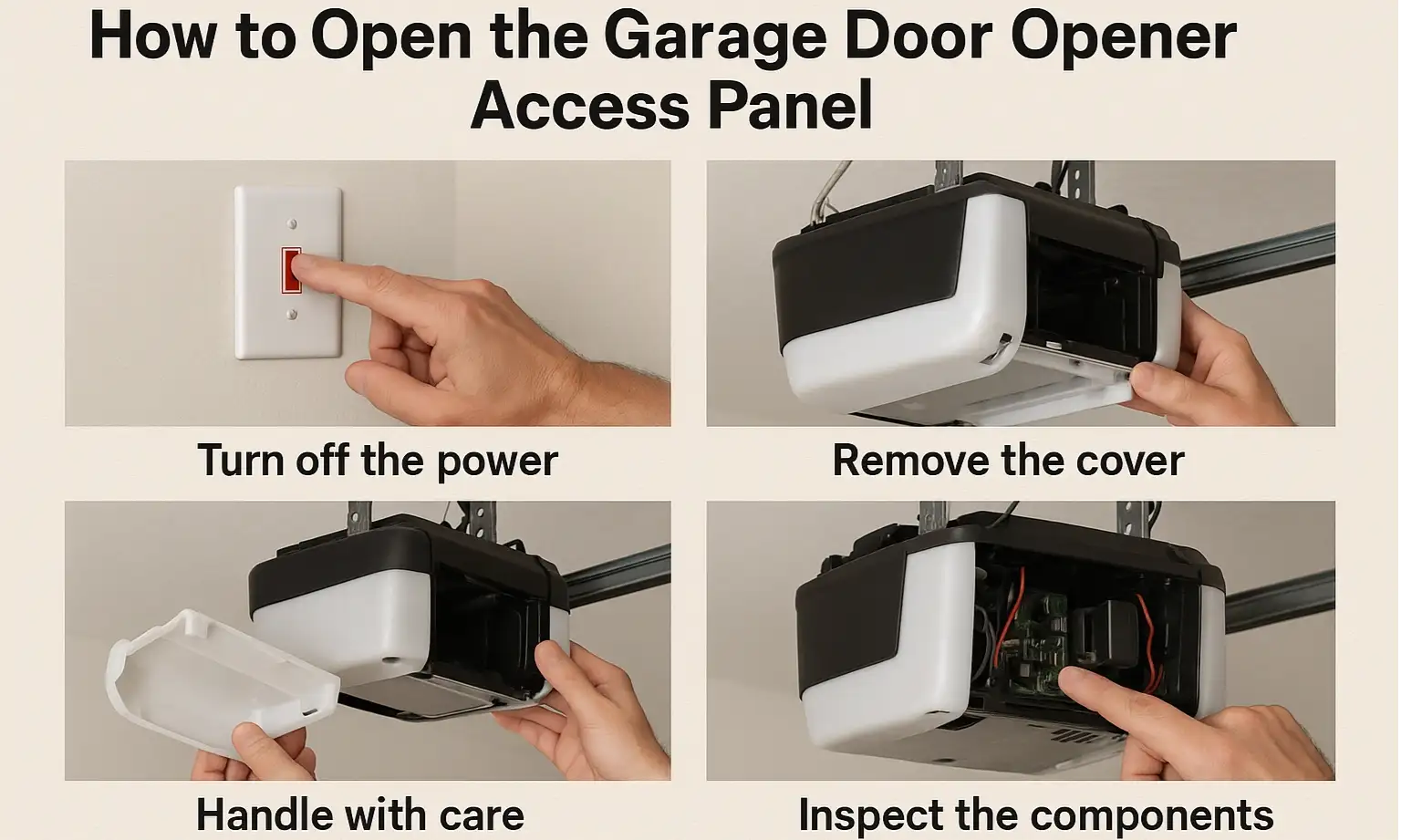
Let’s start by understanding what the garage door opener access panel is. Think of it as the command center of your system — housing the logic board, sensors, and diagnostic lights that control how your garage door opener works. You won’t need to open it often, but if the opener stops responding, this panel is a smart place to check for signs of trouble.
How to safely open your access panel:
How to safely open your access panel:
If you’re not sure what you’re seeing — or don’t want to risk it — the licensed technicians at 24H Garage Doors are just a call away. We handle opener problems every day and can quickly pinpoint the issue for you.
How to Use the Emergency Manual Release
Most automatic garage door openers include a manual release feature — usually a red cord hanging from the opener rail. This emergency cord disconnects the motor from the door, allowing you to manually open your garage door when the opener isn’t working.
If your garage door opener won’t open, or if it clicks but won’t open, using the manual release is a quick way to get things moving again. Here’s how to do it safely:
If your garage door opener won’t open, or if it clicks but won’t open, using the manual release is a quick way to get things moving again. Here’s how to do it safely:
Conclusion
Opening a garage door manually or troubleshooting the access panel can feel intimidating. With the right steps and a little confidence, it’s completely manageable. To avoid getting stuck again, consider adopting a few simple habits: schedule yearly maintenance, keep the opener rail lubricated, and test the manual release periodically.
Not every issue can be solved with a reset or manual release. When a garage door opener won’t open or starts showing signs of wear, a full garage door opener installation may be the best solution. The licensed technicians at 24H Garage Doors can recommend the ideal system for your setup and handle the installation efficiently and professionally.
Not every issue can be solved with a reset or manual release. When a garage door opener won’t open or starts showing signs of wear, a full garage door opener installation may be the best solution. The licensed technicians at 24H Garage Doors can recommend the ideal system for your setup and handle the installation efficiently and professionally.
Frequently Asked Questions
How to Unlock a Garage Door Opener When the Red Cord Is Missing or Broken
If the emergency release cord is missing or snapped, it’s best not to force the door open yourself. Older systems or damaged components can increase the risk of damage or injury. In this case, the safest option is to call a licensed technician who can manually access the release mechanism. They can replace the cord or suggest the best solution based on your opener model. If you’re locked out entirely, you may want to install an exterior emergency release kit to avoid being locked out again.
How to Unlock a Chamberlain Garage Door Opener That Won’t Open
It’s the same manual release process as other models. Pull down the red emergency cord to disconnect the opener. Lift the door manually. Chamberlain units often reset automatically when you pull the cord back or run the opener motor. If it’s still not working afterward, check the sensors, look for any loose or damaged wires, and reach out to a professional.
How to Unlock a LiftMaster Garage Door Opener That Clicks but Doesn’t Open
First, try the manual release by pulling the red cord to disconnect the door from the opener. Lift the door by hand. Once power is restored, pull the cord back or use the wall switch to reconnect. If the opener clicks but doesn’t move the door, it could be due to sensor misalignment or internal gear damage — a quick inspection or sensor adjustment may help, or consider calling a technician for a full tune-up.
Frequently Asked Questions
When is it actually necessary to open my garage door by hand?
There are times when opening the door manually is necessary, such as during a power outage, when the opener clicks but won't open, or when the motor runs without moving the door. Knowing when to switch to manual mode can be helpful in these situations. Most automatic openers include a manual release feature for exactly these cases.
My opener clicks but the door won't move — what's going on?
A clicking sound with no movement is a common problem, and it could be caused by dirty or misaligned safety sensors, a disengaged trolley, or worn-out internal parts like the gears and logic board. You can start by wiping the sensors clean and making sure nothing is blocking them. If the problem isn't obvious and the door still won't open, it's smart to have a professional take a look.
What exactly is the access panel on a garage door opener?
The access panel is essentially the command center of your system, housing the logic board, sensors, and diagnostic lights that control how the opener works. You won't need to open it often, but if the opener stops responding it's a smart place to check for signs of trouble. Inside, you can look for burned spots, loose wiring, or flashing error codes.
How do I safely open the access panel to inspect it?
First shut off power to the opener at the circuit breaker, then use a screwdriver to remove the outer shell or light panel. Gently lift the cover, avoiding any tugging on wires or disturbing connectors, and then inspect the components. If you're unsure about what you're seeing or don't want to risk it, licensed technicians can pinpoint the issue for you.