Let’s be honest — programming a garage door keypad sounds trickier than it actually is. If you’ve never done it before, it might feel a little intimidating. However, you don’t need a 100-page manual to figure out how to program a garage door keypad. Most systems today are built to be user-friendly, and once you know where the “Learn” button is, setup is usually quick and painless. Let’s walk through it together, step-by-step.
How to Program a Garage Door Keypad: Easy Instructions for First-Time Setup
Published: Jun 13, 2025 | Updated: Jul 28, 2026
What You’ll Need Before You Start
If you’re ready to learn how to program a garage door opener keypad, a little preparation can make things way easier. Grab your manual just in case your system has specific setup steps. Look for the “Learn” button — it’s usually up on the garage door motor, so keep a ladder nearby. Also, if your keypad or remote uses batteries, make sure they’re fresh. Dead batteries are one of the most common setup hiccups, and there’s nothing more annoying than having to start over because of something as simple as that.
Step-by-Step Guide: How to Program a Garage Door Keypad
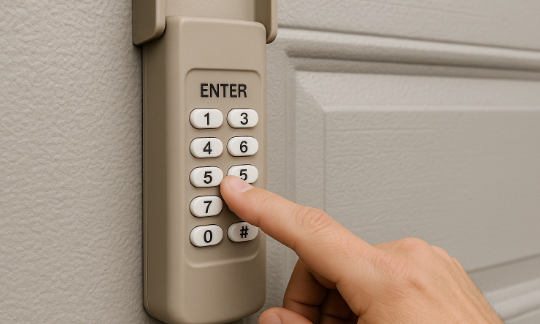
You’ve got the essentials, and now it’s time to get that keypad working. While specific instructions on how to program a garage door opener keypad might vary slightly depending on your opener model, most systems follow the same basic process.
Step 1. Find the Learn Button
It’s usually on the opener motor. Look near the antenna or behind a cover. It may be labeled “Learn” or shown as a small colored button.
Step 2. Press the Button
Press and release the Learn button. When the light turns on, the opener is ready to accept a code. You’ll have about 30 seconds to enter your code.
Step 3. Enter the Code
Head to the keypad and type in your personal 4-digit code, then hit “Enter.” If the programming is successful, your garage door will either move or the motor light will flash.
Step 4. Test the Keypad
Wait a few seconds and enter your code again. If the door responds, your keypad is successfully programmed. If not, don’t worry — just scroll down for a few easy troubleshooting tips.
Troubleshooting Tips
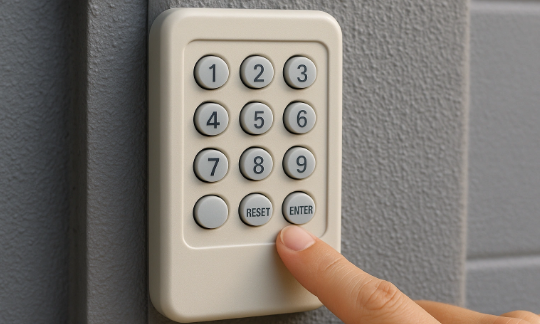
Even if you carefully follow the steps for how to program a garage door keypad clicker, sometimes things don’t go quite as expected. Luckily, most setup issues are easy to fix with a few quick checks.
First, make sure your keypad has working batteries. Then check that the keypad is close enough to the opener, as distance can cause connection problems.
Timing also matters. After you press the Learn button on the motor, you’ll usually have about 30 seconds to enter your code. Miss that window, and you’ll need to try again. If you’re doing this alone, it might help to have someone assist — one person to press the button and the other to enter the code quickly.
Lastly, don’t forget that some garage door opener manufacturers include brand-specific programming steps. Double-check your manual for any model-specific steps that might be different from the general process.
Timing also matters. After you press the Learn button on the motor, you’ll usually have about 30 seconds to enter your code. Miss that window, and you’ll need to try again. If you’re doing this alone, it might help to have someone assist — one person to press the button and the other to enter the code quickly.
Lastly, don’t forget that some garage door opener manufacturers include brand-specific programming steps. Double-check your manual for any model-specific steps that might be different from the general process.
If it still doesn’t work, it could be a deeper issue — faulty wiring, signal interference, or a malfunctioning keypad. In that case, it’s smart to book professional help. An experienced technician can provide fast, reliable garage door opener repair and knows exactly how to program a clicker keypad garage door opener without the guesswork.
Summing Up
Garage door keypads are made to make everyday life a lot easier. They give you keyless access to your garage and save you from carrying remotes or digging for keys. Now, you know how to program a garage door keypad quickly and without any tools.
If it still feels a bit too technical, don’t worry. 24H Garage Doors’ technicians handle everything from malfunctioning openers to garage door keypad installation. Don’t stress over setup — give us a call and we’ll take care of the rest.
If it still feels a bit too technical, don’t worry. 24H Garage Doors’ technicians handle everything from malfunctioning openers to garage door keypad installation. Don’t stress over setup — give us a call and we’ll take care of the rest.
Frequently Asked Questions
Where do I find the Learn button to start programming my keypad?
The Learn button is usually located up on the garage door motor, so it helps to keep a ladder nearby. Look near the antenna or behind a cover on the opener. It may be labeled "Learn" or shown as a small colored button.
How much time do I have to enter my code after pressing the Learn button?
After you press and release the Learn button and the light turns on, the opener is ready to accept a code. You'll have about 30 seconds to head to the keypad and enter your personal 4-digit code. If you miss that window, you'll need to press the button and try again.
How do I know if my keypad was programmed correctly?
When you enter your 4-digit code and hit Enter, successful programming will cause the garage door to either move or the motor light to flash. To confirm, wait a few seconds and enter your code again, and if the door responds, your keypad is successfully programmed.
My keypad isn't working after setup — what should I check first?
Start by making sure the keypad has working batteries, since dead batteries are one of the most common setup hiccups. Also check that the keypad is close enough to the opener, as distance can cause connection problems, and confirm you entered the code within the roughly 30-second window. If it still doesn't work, it could be a deeper issue like faulty wiring, signal interference, or a malfunctioning keypad, in which case professional help is smart.